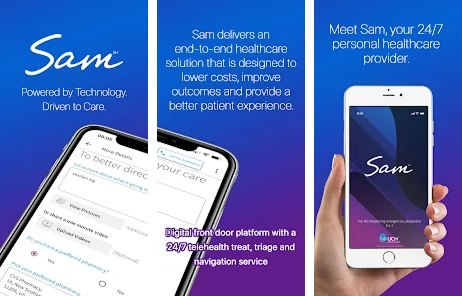
This page explains how to use the benefits your employer offers through the Employer Sponsored Preventive Access (ESPA).
Bookmark it so you can come back anytime.
Your Health & Wellness Dashboard
Getting started
You reach your ESPA services through the employee technology portal. Your employer or your enrollment email will give you your login details. If you have not received them, contact your HR team.
From this dashboard, you can
Access healthcare services
Find mental health and counseling support
Manage wellness tools
Explore additional resources available to you and your dependents
Virtual counseling with licensed counselors and clinical social workers
Virtual psychiatric care and medication management
Prescription access through a defined formulary of 1,000+ medications
Online vision test and prescription renewal
An annual comprehensive lab panel and prescribed labs from the included list, where your employer’s plan includes them
Key benefits:
No copays
No appointments required
Available anytime, anywhere
There is no insurance billing for these services. Eligible qualifying medical expenses may be reimbursed under the SIMRP, subject to Plan terms and applicable limits. Provider-ordered labs drawn at a contracted lab have no bill at the point of service.
How to start a visit
Log in to the employee technology portal and choose the service you need.
Who can use it
Employees and eligible family members
How to access:
To access the EAP Services, please use code: prodigy
Medical Navigation & Care Support
(Wholeistic™ Care Management)
Navigating healthcare can be confusing. This service gives you one-on-one support to help guide you through it.
Support includes help with:
Understanding medical bills
Scheduling appointments
Finding providers
Getting second opinions
Managing ongoing care
How to access:
From your dashboard, select Care Management to connect with a care advocate.
Prescription Savings Program
You have access to prescription savings at thousands of pharmacies nationwide.
Benefits include:
Discounts on many medications
Savings available whether or not you have insurance
Reward points that can be redeemed for gift cards
How to access:
Log in to your dashboard and select Prescription Savings to search medications or find participating pharmacies.
Your dashboard includes tools designed to support long-term wellness and prevention.
You have access to prescription savings at thousands of pharmacies nationwide.
These tools may include:
Health tracking and educational content
Wellness programs and resources
Integration with fitness devices such as Fitbit, Apple Watch, and Garmin
How to access:
Select Wellness Tools within your dashboard to explore available features.
Member perks
Your enrollment also includes member perks. These are separate from your medical services:
Identity and financial protection
Legal resources, including wills and power of attorney documents
Travel savings on hotels, flights, cruises, and car rentals
A healthy-living app with workouts, recipes, and habit tracking
How to access:
Log in to your dashboard and explore the Additional Resources section.
Supplemental insurance
Offered Through Assurity
You may also have access to voluntary supplemental insurance, such as Critical Illness, Accident, and Life insurance. These are separate insurance products. Your enrollment materials explain the options available to you.
Available options may include:
Accident coverage
Term life, disability and hospital Indemnity
Critical illness coverage
Whole life insurance
These benefits are optional and can be selected based on your personal needs.
How to access:
Log in to your dashboard and explore the Additional Resources section.
Getting Started Is Easy
Log in to your Health & Wellness Dashboard
Explore available resources
Use the services that fit your needs
Explore Return anytime—resources are always availableresources
Questions or Need Help?
If you have questions about:
Accessing your dashboard
Using a benefit
Eligibility or enrollment
Who to contact for assistance
For help with portal access, eligibility, or enrollment, contact your HR team or call BizPower Benefits at 866-826-5309.
This page is updated as benefits change. Check back for the most current information.
This page may be updated as benefits evolve. Please check back for the most current information available to you.